
Filer for SharePoint
SharePoint Document Management System
The Problem
SharePoint can become chaotic due to organic growth if not managed
The Solution
Elevate SharePoint from a document repository to a scalable electronic document and records management system (EDRMS) with Filer
Explore Filer Today!
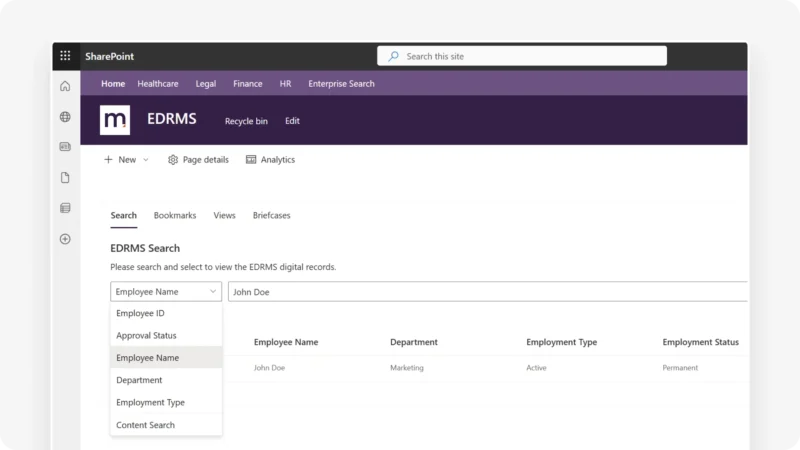
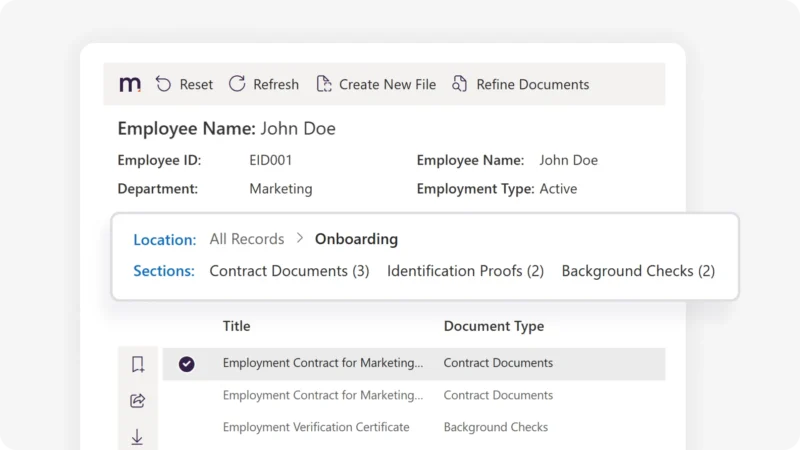
Filer replaces complex folder structures with easy to remember and familiar ‘context driven’ search which can be personalized for each department. Common examples may include project codes, legal cases, customers, suppliers, students, employees, patients and assets. But the list goes on!
Filer automatically applies metadata at a document level to ensure retention or disposition rules are set and documents surface through metadata driven search. This can be metadata pulled from an existing data source or manually chosen fields for more custom scenarios.
This works with or without E5/A5 licensing!*

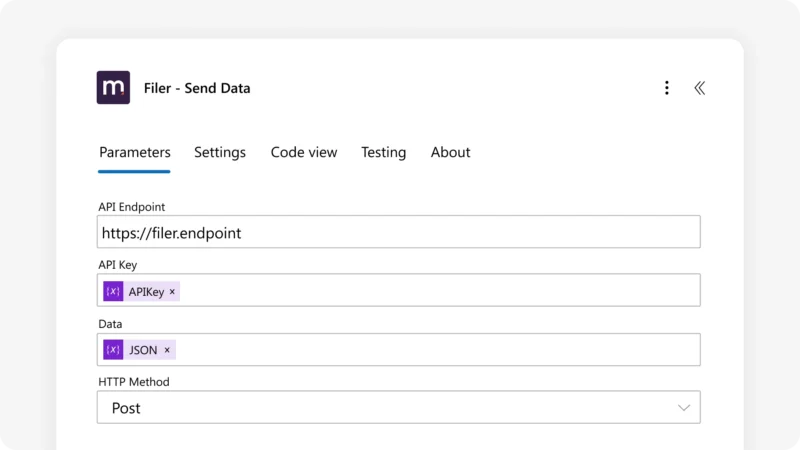
Filer can ingest and automatically file documents via Power Automate or API integration to ensure all documents are saved, named and labelled correctly.
This works with or without premium Power Automate licensing!*
Filer’s intuitive document viewer allows users to select and view all documents relating to a context from a single view. Supporting over 70+ file formats from PDF to CAD files, users can immediately consume information without downloading documents or opening multiple applications.
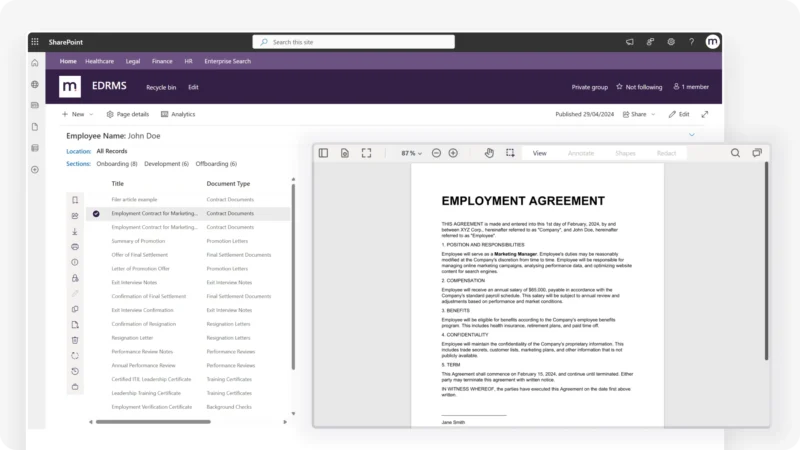
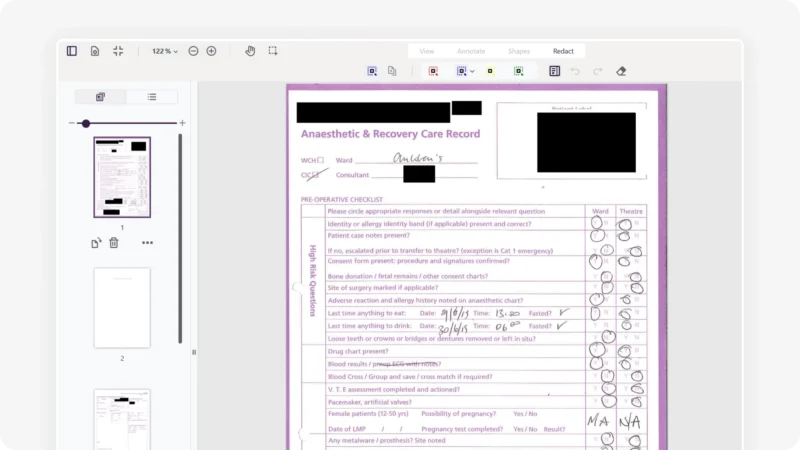
Filer’s in-built document editor allows user to redact, annotate, split, merge and sign documents directly from SharePoint. We can also switch on industry specific features from measuring lengths in CAD drawings to protecting immutable records from change. Contact us to learn more!
Filer provides flexible search filters which can be configured per department or use case. This allows users the option to navigate documents in a familiar way for situations where metadata driven search is not efficient.
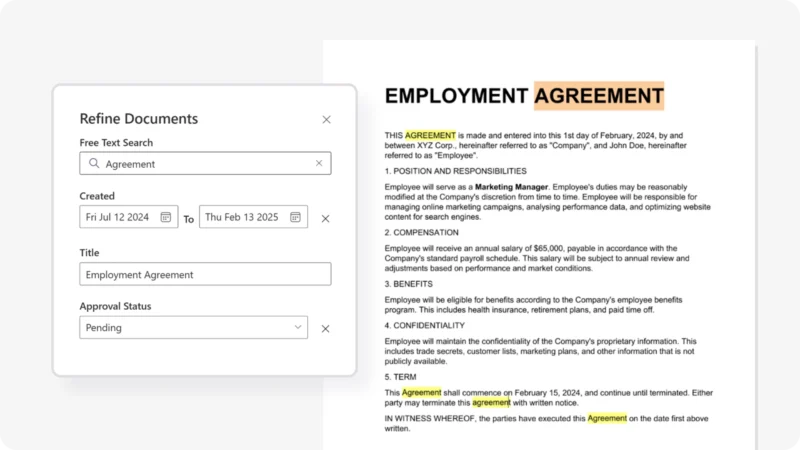
Filer combines the advanced enterprise search capabilities of SharePoint Online with Mizorix’s Optical Character Recognition software to allow users to search across the contents of a document, in addition to any metadata or properties associated to the document.
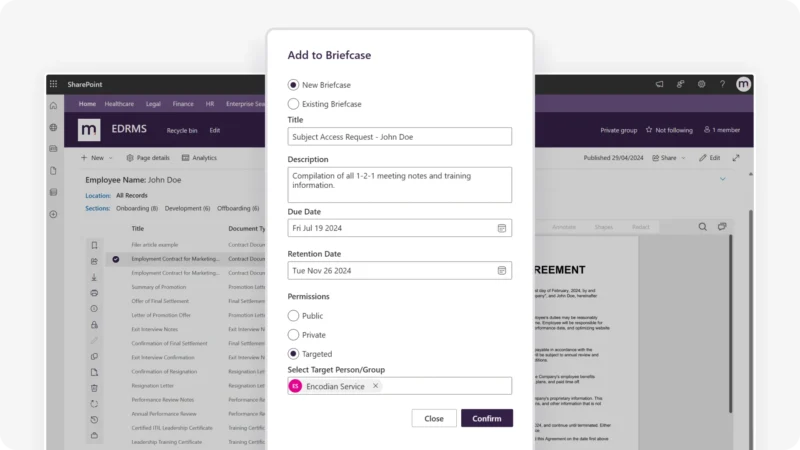
Create document packs for controlled internal or external sharing that is simple to track. Streamlining processes such as subject access requests, legal cases, audits and more.
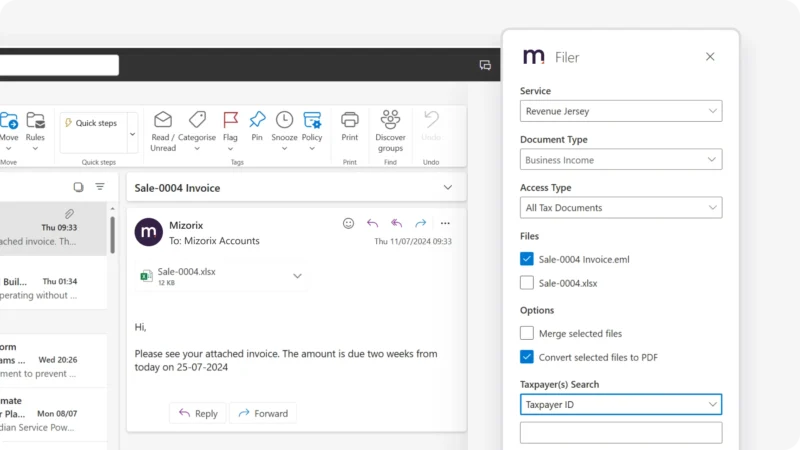
Save or attach documents and emails directly from Outlook with the Filer Outlook add-in which will pull across your classification structure. Ensuring all documents saved via email have the correct metadata and routing logic applied.
Our old document storage solution held us back for years. Filer is the perfect solution to provide modern tools and flexibility to our university.

Filer atop SharePoint Online has enabled the council to accelerate delivery of our digital transformation programme by easing our users’ acceptance of change due to the powerful features and speed of access to digital corporate records.

As an NHS Trust, it is essential that we have the highest level of support for our SharePoint deployment. Mizorix excels with their knowledge and responsive customer service, and we’d always recommend them.

How Filer improves SharePoint
Filer is an enterprise-grade add-on for SharePoint Online which delivers an enhanced solution for managing, classifying and accessing documents, delivering a superior end-user experience that is easy to maintain.
SharePoint
SharePoint
Filer
Request your Filer demo
Find out more about our Microsoft Document Management System, Filer through a demo!
Getting Your IT Team on Board?
Start Here
Ensure a smooth, secure, and efficient deployment of Filer with this essential IT guide. It covers everything your team needs to know, including:
Download the guide now to get your IT team fully prepared!
Resources to help you
If you’re looking to digitise physical records, take a look at our end-to-end solution.
Need support getting your SharePoint strategy started?
Learn how SharePoint can be used for managing Legal Records and Cases.
Find out how Local Government are using SharePoint for the electronic document and records management.
Frequently Asked Questions
Not at all – SharePoint has some fantastic tools for productivity and collaboration you will still utilise.
Power Apps or Microsoft Forms, in fact, anything! It’s fully integrated into Power Automate, allowing data to be consumed from pretty much anywhere.
Filer has an OpenAPI – almost all modern-day systems will be capable of API integrations.
Yes – Filer provides the ‘Send to Filer’ action which allows direct document and content submission from any source using Power Automate (which works with any Microsoft licensing).
As part of the Microsoft 365 platform, you will be able to use Purview’s capabilities. In addition to this, Filer has the capability to redact and share specific documents with third parties with the Briefcase feature.
All your data never leaves your Microsoft tenant and therefore, all your IT Governance settings apply to Filer.
We use Power Automate for Filer, our Microsoft Document Management System’s workflow engine.
Only the higher tiers of Microsoft licensing such as E5 provide this out of the box where Filer would respect any configurations setup. Organisations without access to E5, would use Filer’s built-in engine which bridges this gap in functionality for E1 and E3 users.
Filer uses a combination of Microsoft AI Document Intelligence, Microsoft OpenAI and functionality built directly into Filer. This mix allows customers to utilize the leading capabilities of Microsoft AI natively but with reduced costs by performing large scale operations locally with FIler such as OCR, Resize and Convert functions.